Search that respects your structure, core actions users rely on, and add-ons that scale governance and publishing.
Core capabilities and add-ons.
Core capabilities are included with Monarch EDRMS. Add-on capabilities extend it when you need them.
Core
Search Center
Quickly search and filter documents and records in SharePoint. Simple filters narrow results, and permission settings mean each person only sees what they are allowed to access.
Reusable filters your team can save and share
Permission-aware results that follow each user's access
Switch views and refine searches without losing your place
Core
Convert to PDF
Convert documents to PDF directly in SharePoint, without extra software, so files are simpler to share, print and store.
Convert a single file or many at once
Metadata and retention settings stay with the new PDF
Core
Secure and lock files
Lock important documents when needed. Locked files cannot be edited, shared or changed until they are unlocked again.
Lock and unlock with a single action
Locked files can't be edited, shared or downloaded without approval
Core
QR codes
Generate QR codes that link to the latest version of a document or folder: ideal for assets, projects and site files.
Codes always point to the latest version
Monitor when and where each code is scanned
Add-on
Approvals
Send documents for approval and capture decisions with comments. Track every stage; once approved, the final version is locked and stored automatically.
Single or multi-step approvals with reminders and escalations
Approve or reject with optional comments
Add-on
Digitisation and OCR
Convert paper files into searchable digital records. Text and codes are detected automatically, with suggested metadata to file documents in the right place.
OCR makes text and barcodes searchable
Suggested metadata and storage locations
Add-on
Secure file sharing
Share files externally with full control and visibility: add cover sheets, set expiry dates and keep an audit trail of every access and download.
Expiry dates, watermarks and access logs
Track who opened, downloaded or shared each file
Add-on
Monarch eSignature
Officials can sign from any device. Send directly from your library; the signed PDF and audit certificate are filed back automatically.
Sequential or parallel signers
Reminders and expiry
Add-on
Policy Publish
Publish official policies to a dedicated folder so everyone can reach the current version. Capture acknowledgements, track readership and keep policies current with review reminders.
Read and acknowledge tracking
Version history and review reminders
Seen in the product
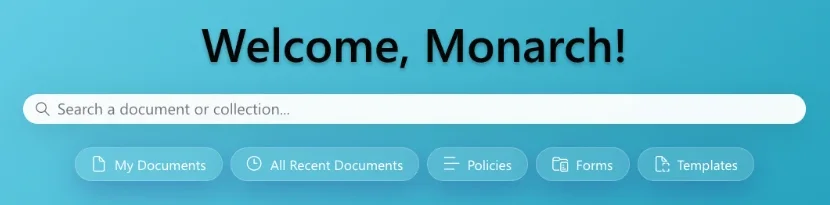
Search and quick links on the Monarch EDRMS home screen.
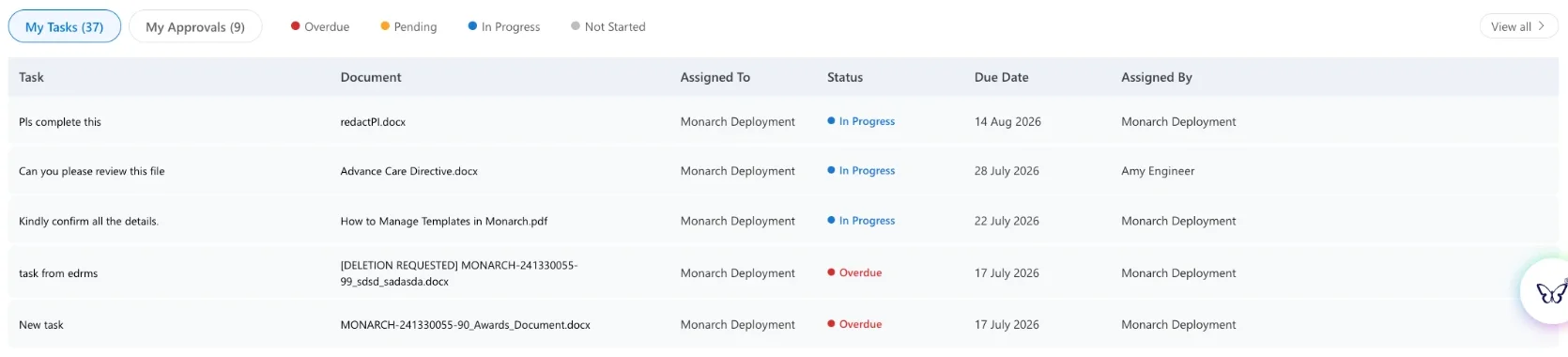
Tasks and approvals on the home screen. Demonstration data.
Built on SharePoint Online and Microsoft 365
Monarch EDRMS runs in SharePoint Online, inside your Microsoft 365, so documents, emails and records stay where your people already work. Its actions are built with the SharePoint Framework (SPFx).